Best Google Search Console Tools for Turning Data Into Action
Quick answer: The best Search Console tool depends on the missing step: SEO Receipts for a recurring evidence-backed action cycle, ChatSEO for broad conversational analysis, Looker Studio for custom dashboards, BigQuery for durable row-level storage, and an MCP connector for asking an AI assistant scoped questions about your own data.
Search Console gives you the data and still leaves you staring at a table of 1,000 queries. The missing feature is rarely another chart. It is a workflow that turns the rows into a decision someone will execute.
These tools sit around the same Google source but solve different follow-up jobs. Pick the missing step after data collection rather than replacing Search Console for the sake of a cleaner interface.

SEARCH CONSOLE
Best Google Search Console Tools for Turning Data Into Action
PRIMARY KEYWORD
Google Search Console action tools
READ TIME
10 minutes
Which tool is best for creating an SEO action queue?
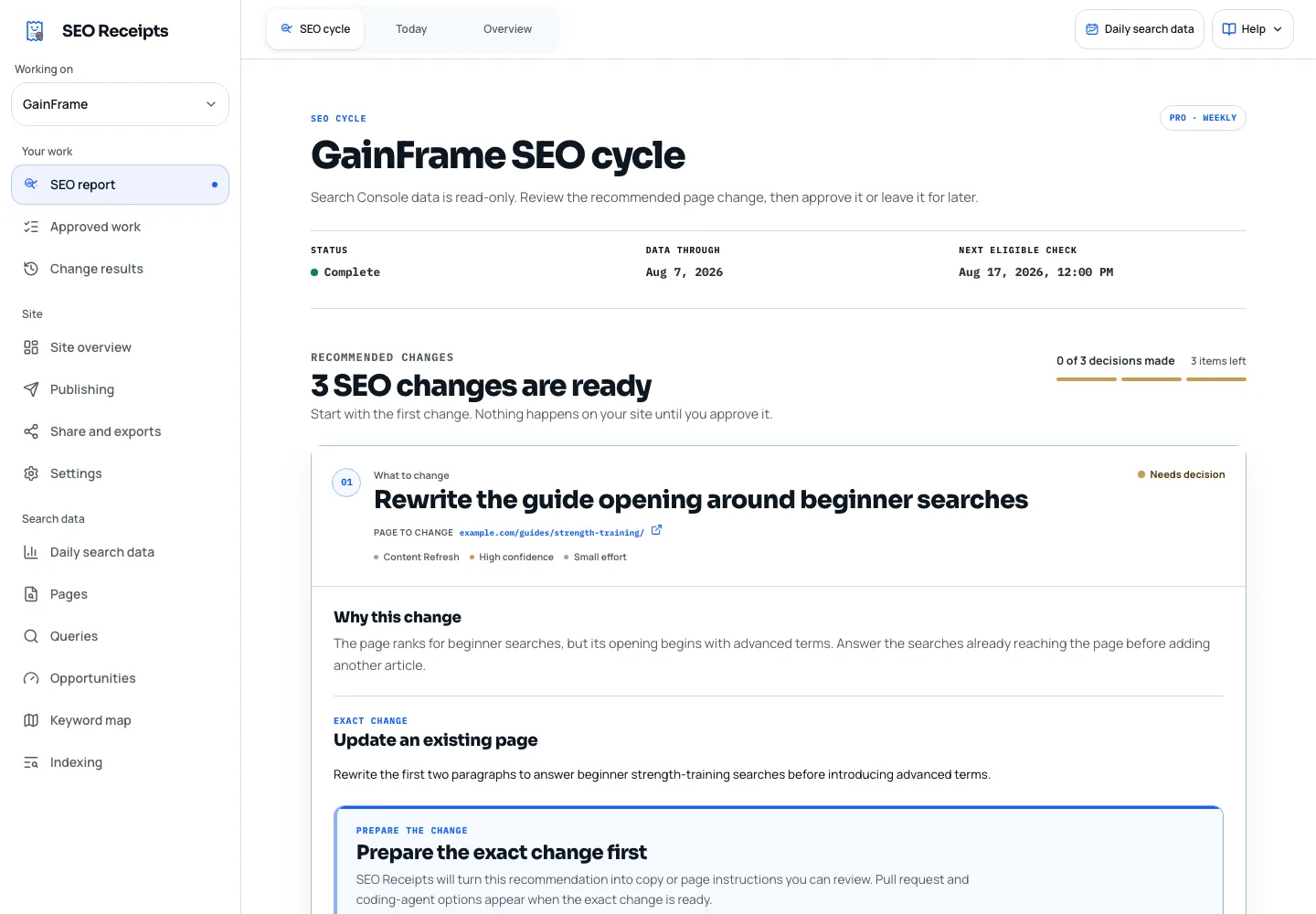
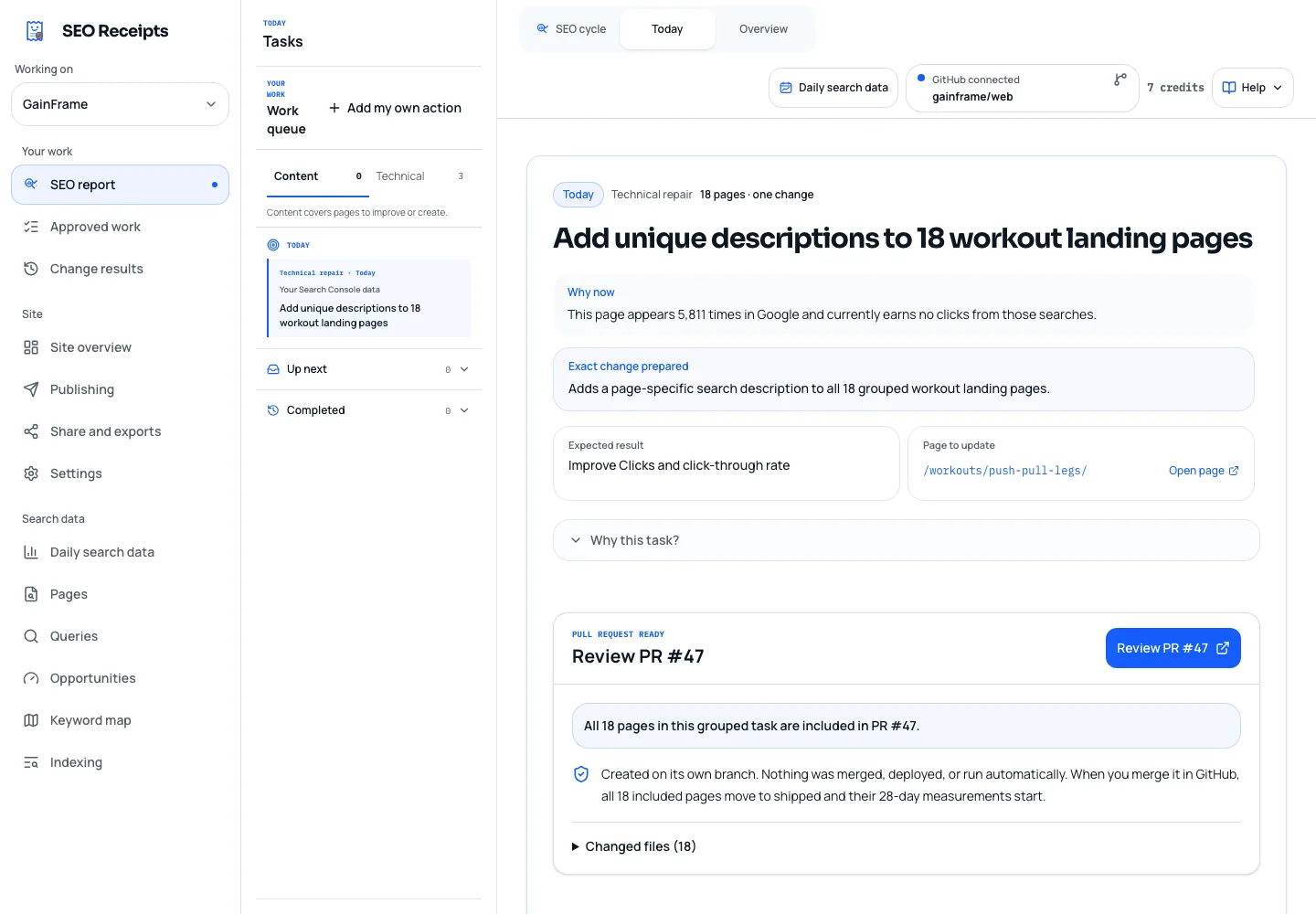
SEO Receipts is designed for this job. It combines current and prior Search Console performance with watched queries, bounded crawl findings, and index evidence. The owner sees the complete supported audit, approves recommendations, and keeps one current task in focus.
ChatSEO is broader. It connects Search Console to conversational agents and also includes market data, backlinks, writing, and other SEO functions. Choose it when you want to ask and delegate across several categories rather than operate a fixed action cycle.
Which tool is best for dashboards and client reports?
Looker Studio is the practical free choice for custom dashboards connected to Search Console. It is strong when you already know which tables and charts the audience needs. It does not decide which change should enter the work queue.
For durable exports and large-scale history, Google's bulk export to BigQuery is the stronger foundation. That route requires data modeling and maintenance, so it is usually excessive for one founder managing one property.
Which tool is best for talking to Search Console data with AI?
A read-only MCP server lets Claude, ChatGPT, Cursor, or Codex query selected Search Console properties during a conversation. It is useful for ad hoc questions with explicit date ranges, filters, and dimensions, especially when you want follow-up analysis without moving CSV files.
The protocol does not remove Google's limits or model judgment. An assistant cannot recover anonymized queries, and a correct traffic drop does not prove the cause. Verify one known answer before trusting more complex analysis.
How should you choose among Search Console tools?
Name the handoff that fails today. If reports take hours, build a dashboard. If raw exports disappear, use durable storage. If analysis is slow, add an AI connector. If recommendations never become work, adopt an approval and measurement cycle.
Avoid buying two products for the same handoff. Run each candidate against a known date range, compare the numbers with the Performance report, and test whether the output leads to one clear next action.
Practical checklist
What belongs on the choose a tool around search console?
- 01Identify whether the missing step is reporting, storage, analysis, or execution.
- 02Confirm the product requests read-only Google access.
- 03Scope access to only the properties the workflow needs.
- 04Verify one known metric and date range against Search Console.
- 05Check how the tool labels provisional and omitted data.
- 06Keep the product only if its output becomes a shipped or shared result.
What else do people ask about Google Search Console action tools?
Does Google Search Console need a paid add-on?
No. Search Console already provides the core measured data and exports for free. A paid tool is justified only when it improves a repeated downstream job such as prioritization, reporting, storage, collaboration, or measurement.
Can ChatGPT connect to Google Search Console?
Yes, through supported apps or a remote MCP server in the appropriate ChatGPT mode. Use a read-only connector, verify the property scope, and test a known answer before relying on the assistant's interpretation.
Is Looker Studio better than an SEO reporting tool?
It is better when you need custom, shareable charts from known sources and can maintain the dashboard. A dedicated SEO product is better when the missing value is analysis, prioritization, alerts, or an execution workflow rather than presentation.
Why do connected tools show different Search Console totals?
Common causes include different date ranges, property types, dimensions, freshness states, and aggregation. Query and page rows may not sum to property totals because Google withholds anonymized data. Match the exact query before assuming a connector is wrong.
Which primary sources support this guide?
These primary sources explain the product behavior and metric definitions used in this guide. Reviewed on August 23, 2026.
- 01Google Search Console Performance report
Google's definitions for the measured search data used throughout these comparisons.
- 02About Search Console data
Google's documentation on data delay, privacy omissions, row limits, and aggregation.
- 03ChatSEO plans, credits, and pricing
ChatSEO's official plan limits, included tools, credit rules, and current euro pricing.
- 04SEO Receipts plans and product details
Current Free, Pro, and Growth plan capabilities and prices.
SEO FOR ONE SERIOUS WEBSITE
Turn your own Search Console data into the next action.
Run a complete evidence-backed audit for free. Upgrade only when you are ready to prepare actions, ship changes, and measure what happens next.